
What is "Review Mode"?
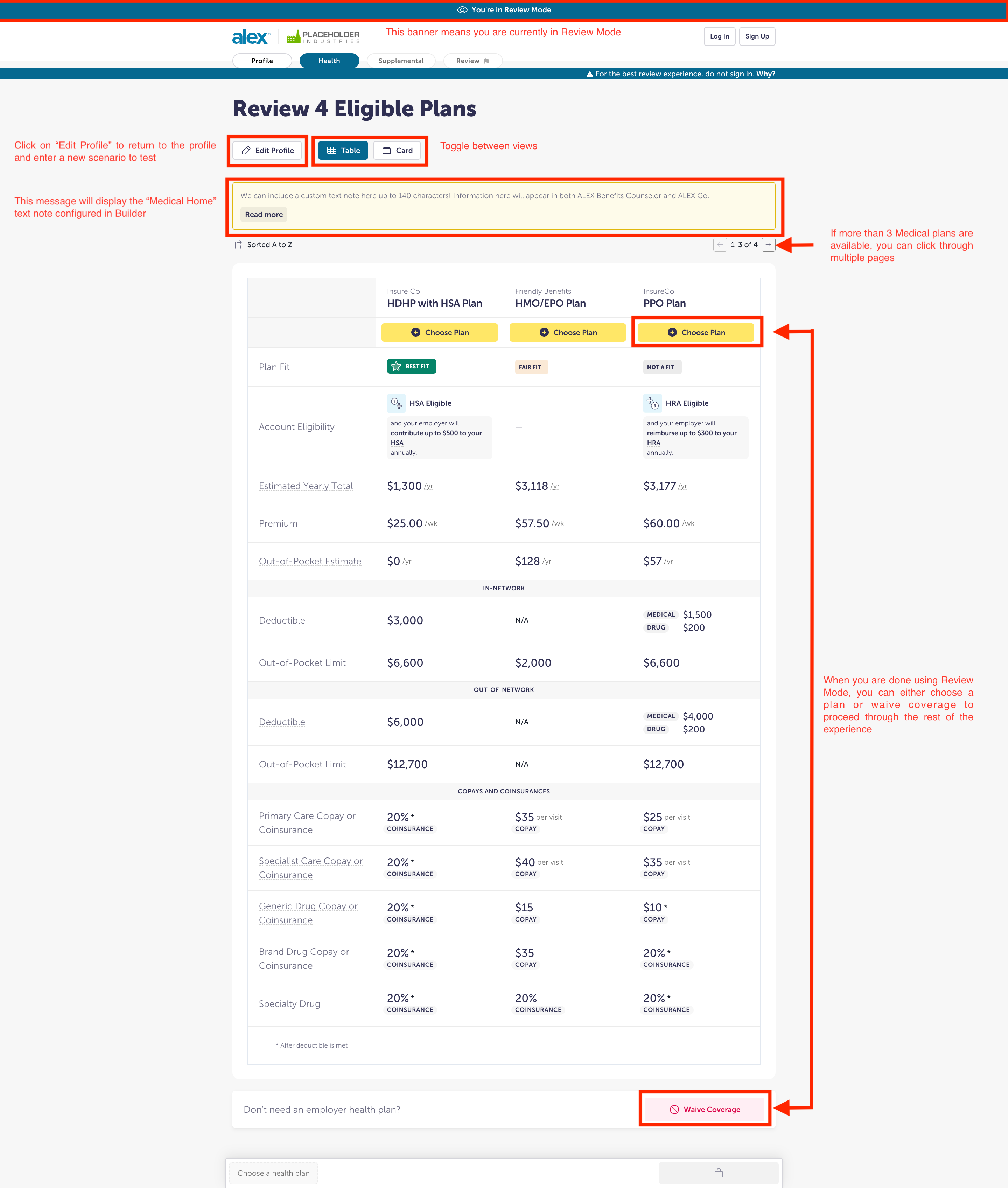
Review Mode lets you quickly view and compare medical plans in ALEX on your Preview link. Instead of starting from scratch each time, you can fill out the profile once, then make small changes to explore other scenarios.
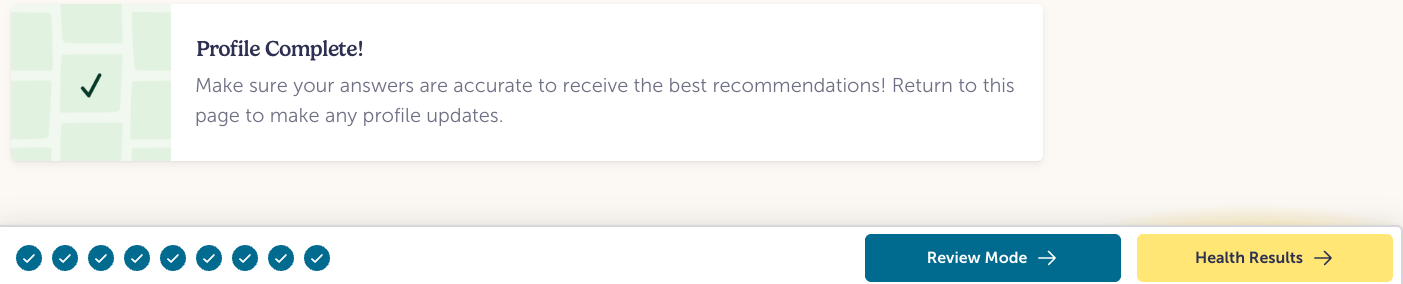
To use it, head to your Preview link and start by filling out the profile like you normally would. After answering all the questions, click the “Review Mode” button to see a side-by-side view of the medical plans that persona is eligible for.
If more than three plans are available, they’ll be split across multiple pages you can click through.
When you’re ready to test another scenario, click “Edit Profile,” adjust your answers, and select “Review Mode” again. And once you’re done reviewing the medical plan details, you can choose a plan or select “Waive Coverage” to continue to the full ALEX experience.
Note: Review mode will show how medical plan info will appear in ALEX Go. Additional information may be present in ALEX Benefits Counselor (audio path) that will not be shown in Review Mode.
FAQS
Do I have to use this to review?
Not at all! It's completely optional. If you prefer to test as you normally do, you absolutely can. Just click the "Health Results" button at the end of the Profile and proceed as usual through ALEX.
Will employees/users be able to see Review Mode?
Nope! Review Mode is just a tool to help you during review/testing. It doesn't impact how ALEX appears to employees.
Can it be turned off?
It's built into the review experience and can't be disabled, but you're not required to use it. It's just there if you'd like a shortcut.