
Reordering Modules/Benefits
Edited
It's very simple to reorder how benefit modules appear in the ALEX menu.
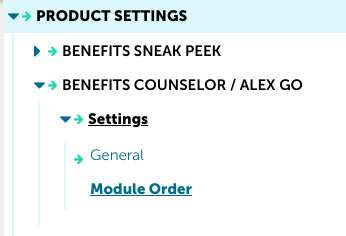
In Builder, head to Product Settings>>Benefits Counselor/ALEX Go>>Settings>>Module Order.
Update the number order next to the benefit module names.
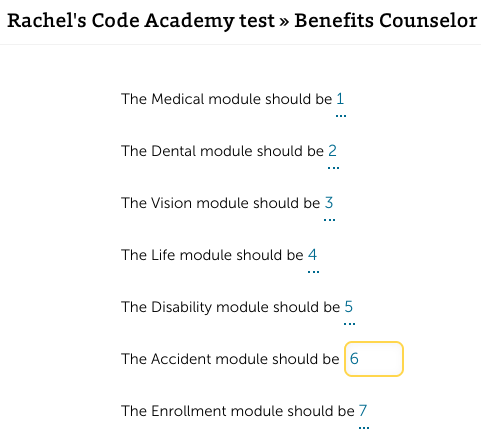
Note: ALEX will always automatically route users through Medical and Tax Savings first no matter the module order in Builder. Our extensive user testing has shown that these are the modules of highest interest and routing through those first decreases bail rates.
Note: This will not change how benefit modules appear in the Builder menu, only in ALEX.
Was this article helpful?
Sorry about that! Care to tell us more?