
How does the Document Uploader work?
The Document Uploader in Builder allows you to upload PDFs of Summary of Benefits and Coverage docs (SBCs). Builder will then use those docs to complete most of the configurable fields within a medical plan, saving you time and effort.
The Doc Uploader requires uploaded documents to be SBCs in PDF format.
You can find the Doc Uploader as the first tab under each medical plan along the configuration menu.
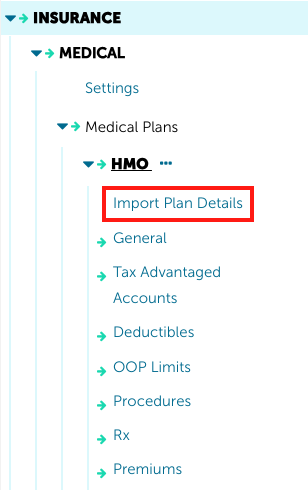
When you click on it, you'll see the option to either drag-and-drop, or choose a file from your computer to upload it. Please note the file must be an SBC (Summary of Benefits and Coverage) in PDF format.
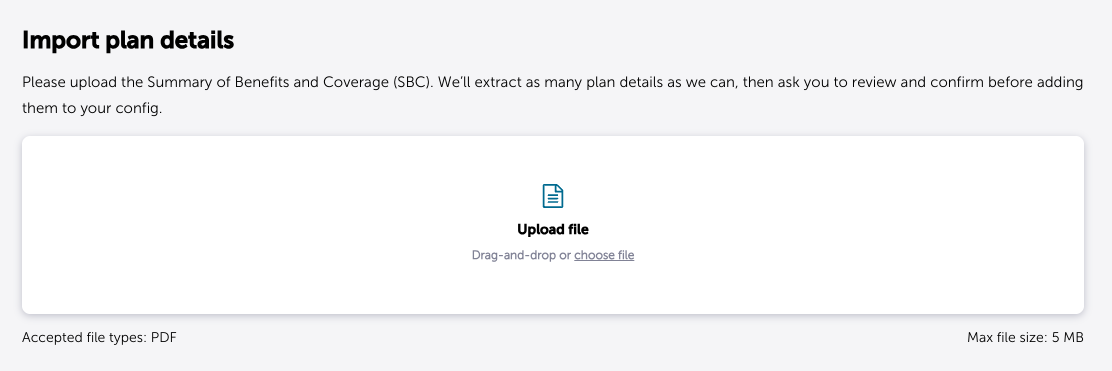
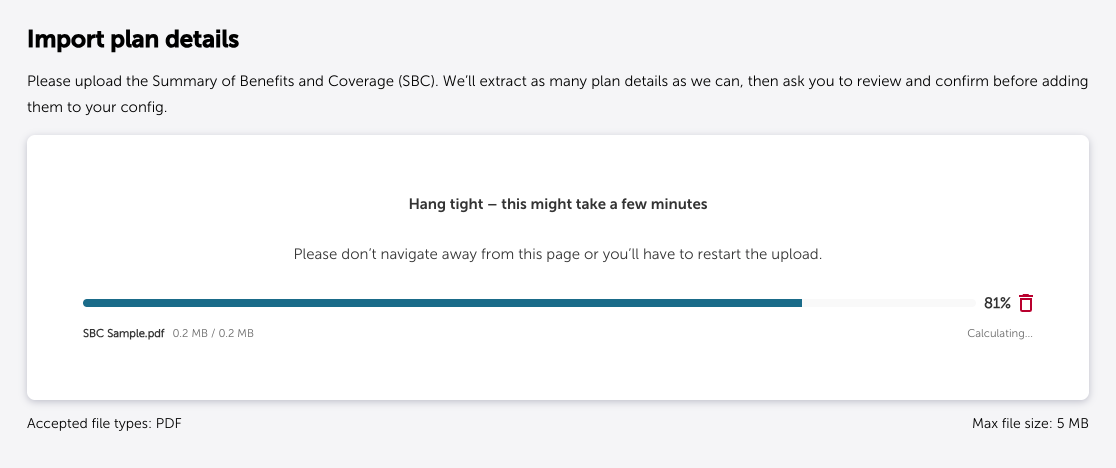
After uploading the SBC, you'll be able to verify the extracted plan details are accurate.
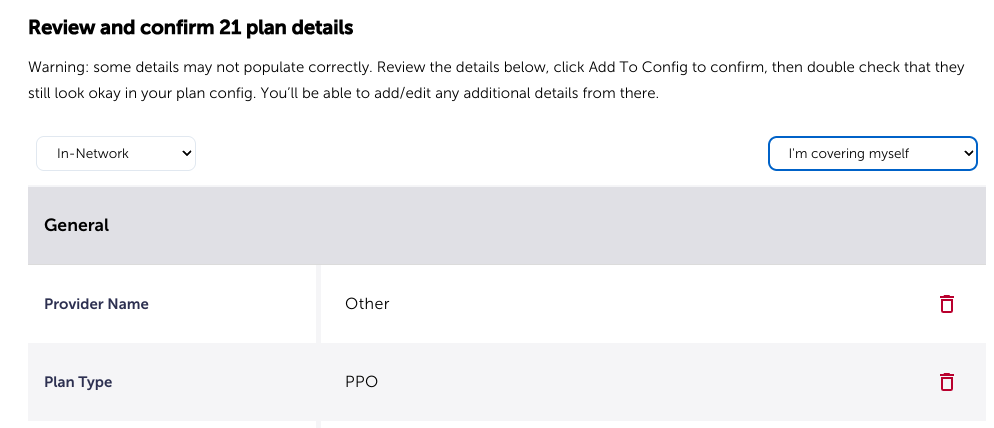
Be aware that this feature uses AI and so some details may not populate correctly. If anything did not populate correctly, use the red trashcan icon on the right to remove it. You can enter the correct info manually under the corresponding medical plan tab.
After reviewing the information the Doc Uploader was able to pull, use the yellow "add to Config" button at the bottom of the page to port the plan details into the configuration fields.

Double check the info and fill in any missing fields in the other medical plan tabs (General, Tax Advantaged Accounts, Deductibles, OOP Limits, Procedures, Rx, Premiums). Green arrows will direct you to fields still missing info.
If you have any questions or run into any issues reach out to selfservicesupport@jellyvision.com for assistance.