
The basics of filling in plan data
Toggles
Toggles are how we refer to the configurable fields throughout ALEX Builder. They come in three general types:
Fill-in-the-blank
These toggles allow you to type directly into them.

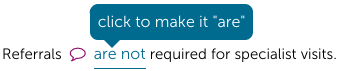
On/Off or This or That
These toggles allow you to "toggle" between two different options.
Drop-downs
These toggles will allow you to open up a drop-down list you can choose options from.
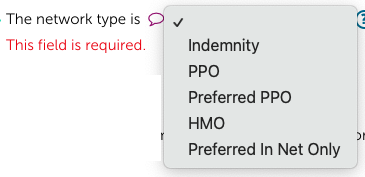
Keep in mind – certain toggle settings will make additional fields/toggles appear.
Tool Tips
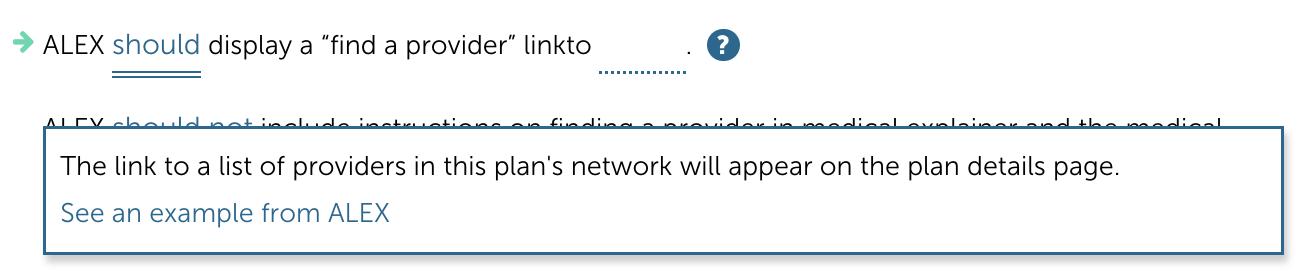
Have a question about a toggle? Not sure how a toggle will affect ALEX? Click the question mark icon

for additional info. You can also use the

option to open up screenshots of how ALEX will present the information.
Arrows

Little arrows appear along the menu and next to toggles that are empty and still need to be filled in. All empty fields need to be filled out before you can create a preview link or launch ALEX. Just follow the arrows to the missing fields to complete your configuration.
Saving
ALEX Builder automatically saves your work as you go so nothing will be lost. Even though it’s always saving in Builder, your preview or live ALEX conversation will only be updated when you Preview or Launch. So make all the changes you need and when you are ready to see them in action head over to URLs/Publish.