
Renewing an ALEX Configuration
Click here for click-by-click instructions with screenshots of each step or read on for the key points...
When renewing a current ALEX customer, you're able to make a duplicate of their current configuration to use for their upcoming OE/Plan Year. This means you don't have to start from scratch! You'll simply have to make updates according to the year's plan changes.
From the Builder Configurations page (or the Builder home page) you'll see a list of configurations for your clients.
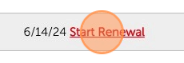
A red "Start Renewal" button will pop up next to the configuration's expiration date 90 days ahead of the expiration date.
You can also use the "duplicate" button if the "Start Renewal" button is not yet present. You can find step-by-step instructions on duplicating a configuration here.

Select the ALEX package (Essentials or Fundamentals), Plan Year, fill in the eligible employee count (you'll be able to update this later), and check the box to shift all configured dates forward one year (this will not shift dates in text boxes).
Click "Finish and start configuring details". Your renewal configuration will open with everything from the previous configuration carried over. You can now start reviewing and updating plan data!